

Power Platform

Custom work on your own Microsoft 365 environment, without an army of developers.

Apps, automation, dashboards and AI agents on a single data layer. Power Platform connects through hundreds of ready-made connectors to SharePoint, Teams, Outlook and the systems you already use, so your solution fits the work that's already there.

The components

The components, listed.

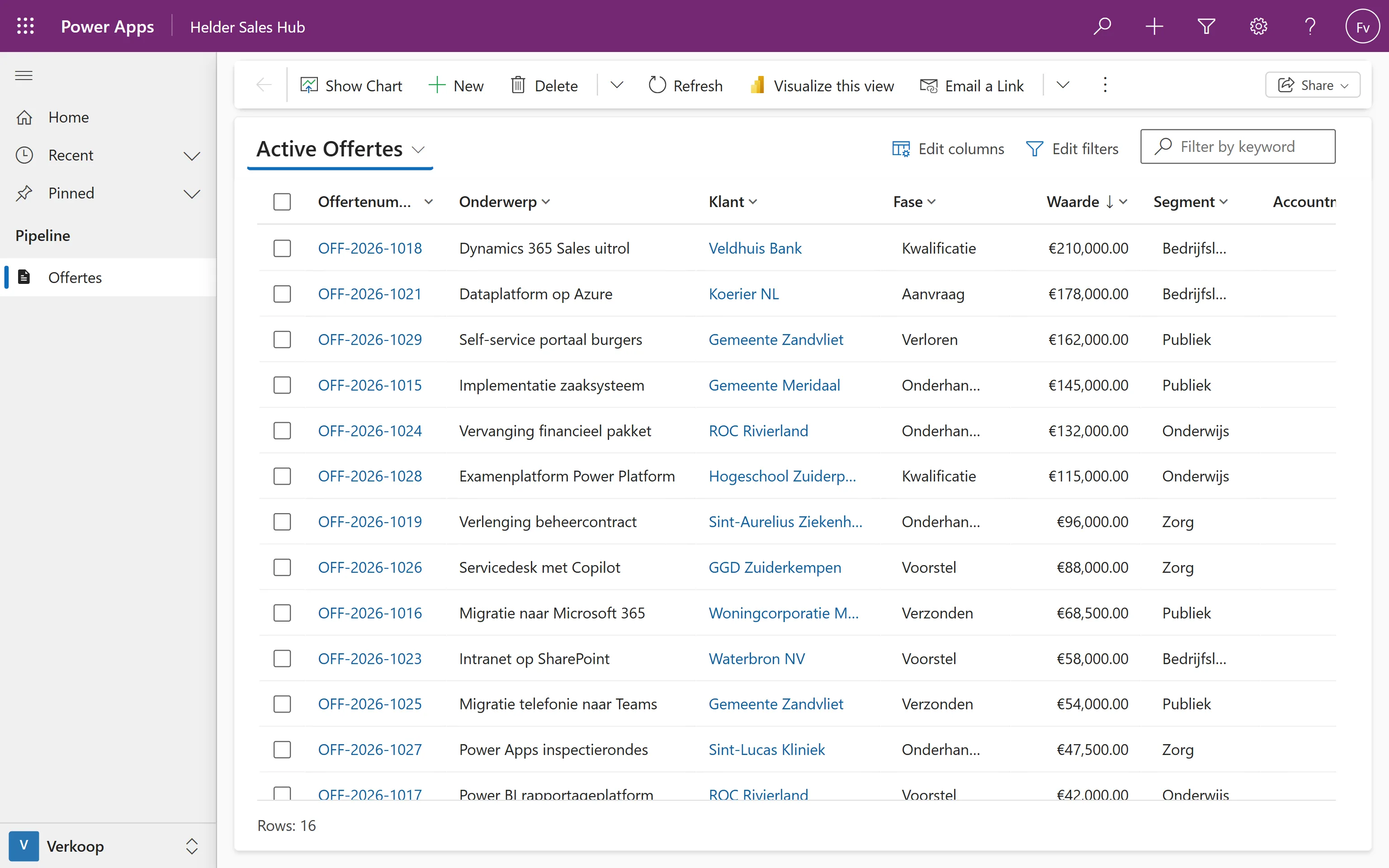
Apps, flows, dashboards, agents and a data layer. Each part does something on its own, but the value is in the combination. Below you'll see an example screen of each.

Unified Interface - offerteweergave, filteren, grafiek, formulier en klantbeheer, live uit Dataverse.

Model-driven app×
heldergroep.crm4.dynamics.com/main.aspx?appid=sales-hub
Model-driven app - Weergave

The screens above are mockups with fictional data, made to show what the platform can do. They are not real customer environments.

Two ways to deploy it

Two ways to put it to work.

It can be a platform your own people build on, or a platform on which we build one specific solution. Below are both, with when each fits and what we do.

As a platform for makers

When several people want to get going with it themselves.

The idea is that people don't have to knock on IT's door for every small thing. They build their own app or flow for their own work. The risk is that after a while you have a hundred solutions nobody oversees. The difference is in the frame underneath.

What it looks like

  • 100+ employees, spread across multiple departments
  • People outside IT already keen on data and automation
  • A wish to keep control without IT picking up every small request

What we do

We set up that frame: separate environments, policy against data leaks, monitoring, and clear agreements on who manages what. And we teach the makers how to keep it tidy.

As a platform to build solutions on

For one specific problem that has to be good.

You have a process or a question that needs a solution, and Power Platform is the right tool for it. We build that solution as a project, in sprints, at production quality. After that we either run maintenance, or hand it over cleanly.

What it looks like

  • One clearly scoped process or question
  • We build and deliver, you don't have to tinker yourself
  • Ready for production, whether ten or a thousand people use it

What we do

We run it as a project: requirements, data model, building in sprints with review. Code through separate DEV, TEST, ACC and PROD pipelines, managed solutions, documentation.

Governance & operations

The boring bit that keeps everything standing.

Power Platform is low-threshold, and that's exactly the risk. Without a frame you end up with dozens of apps in one environment, and nobody who knows who owns what. A few things we set up right away in the first month:

Environments & DLP

Separate environments for developing, testing and production, plus policy that keeps sensitive data from ending up somewhere it shouldn't.

ALM & Pipelines

A fixed way to move changes from test to production, with version control, instead of dragging files back and forth by hand.

Managed Environments

Insight into what's running, cleaning up what's no longer used, and recording who manages what.

Documentation & hand-over

Documentation that's accurate, and short manuals for whoever maintains it later.