 Frank van Esch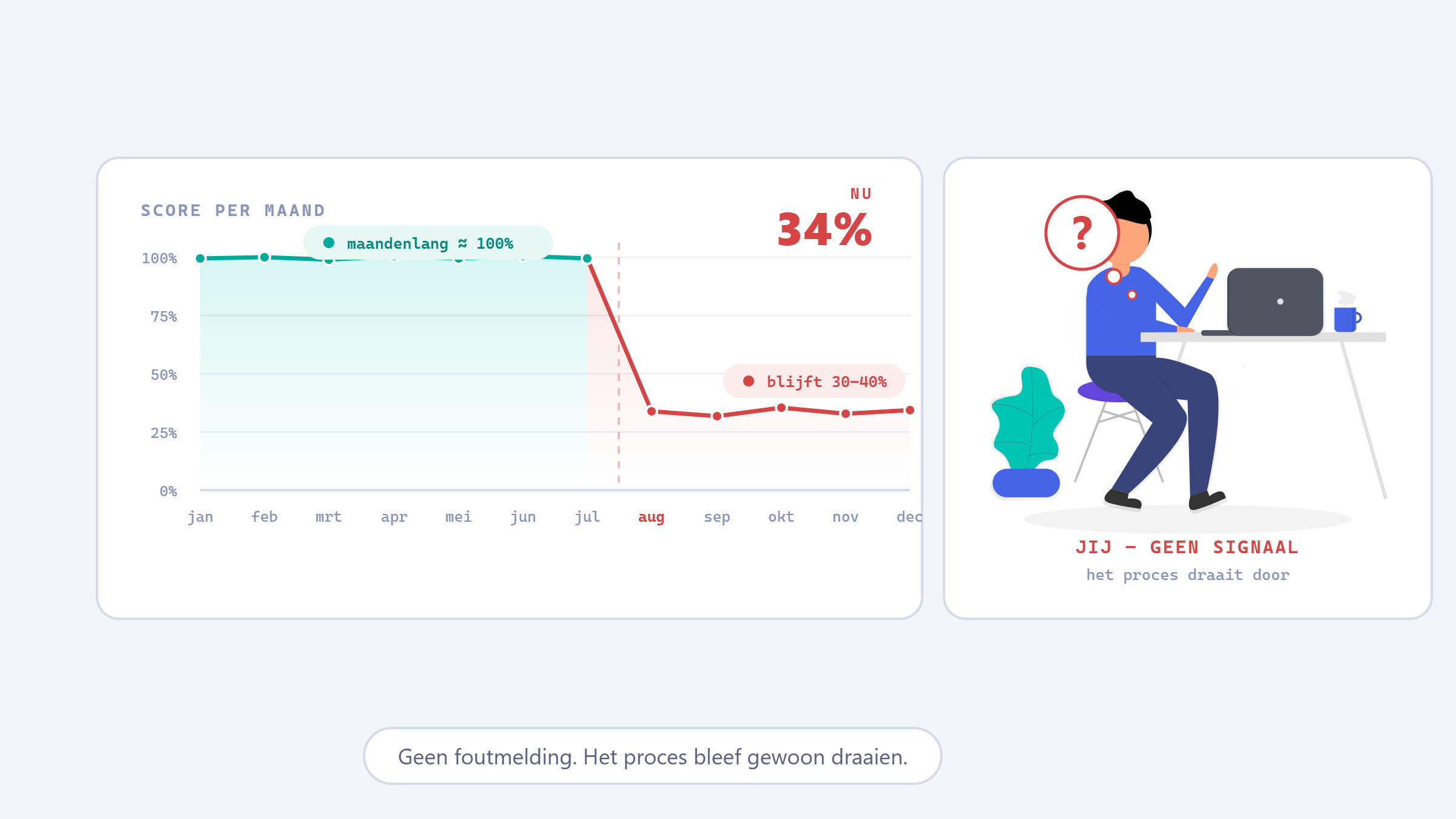
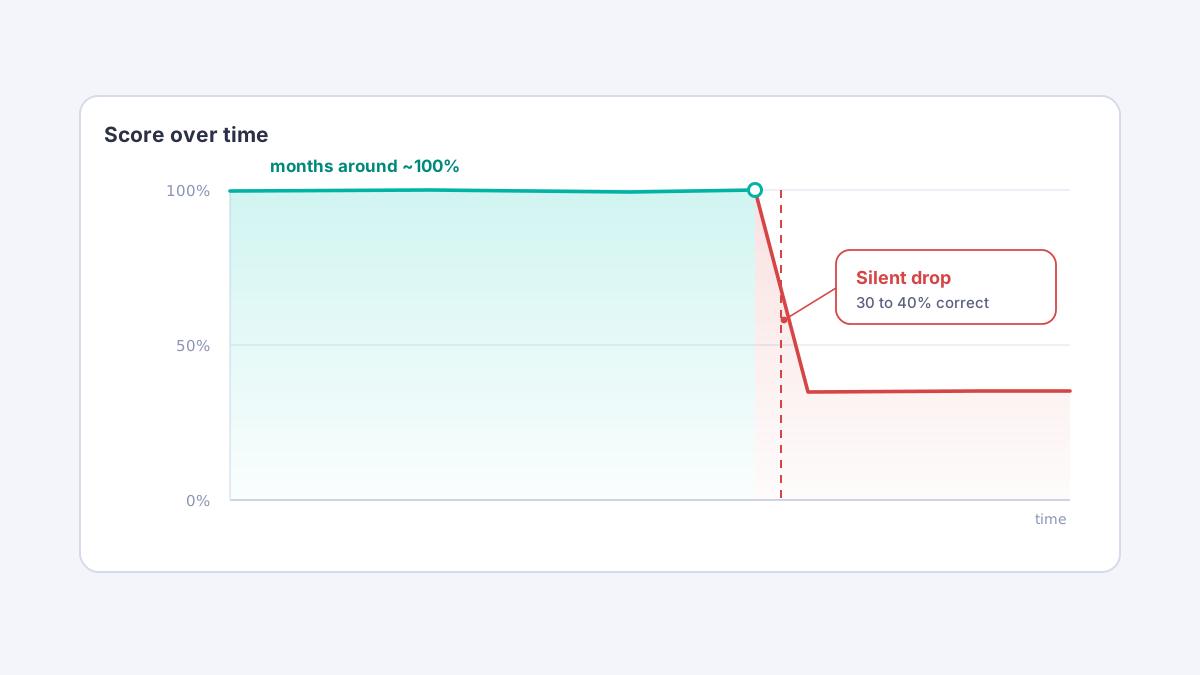
We had a process that reads reports automatically with AI, built in Power Automate with a custom prompt in AI Builder. For months it did exactly what we wanted: we checked the results and they sat at 100%. Until we found out, by accident, that it was only getting 30 to 40% right. We had changed nothing about the process, and the prompt was still exactly the same. And yet the quality had collapsed, and stayed there.
An AI model is not a fixed agreement
The easy assumption is that you set a custom prompt up well once and the model keeps doing what it did. It doesn't work that way. In AI Builder you pick a model, but you don't pick a fixed version. The prompts run on models Microsoft hosts on Azure OpenAI Service, managed by Microsoft and updated periodically. The name in the dropdown stays the same; the version underneath it need not. Microsoft says so itself: the versions of the models behind a prompt can change, and a new model version can change the behaviour and the response to the same prompt. You pick the model and you write the prompt, but most of what determines the outcome sits with the supplier. If something is updated there, your result can move with it without you touching anything.
We had GPT-5 chat selected and nothing on our side had changed, and still the quality dropped structurally. A model doesn't "wear out" from running a while; that isn't how these systems work. The chat models in particular get refreshed regularly, and from the outside we can't prove which refresh hit our run. But the pattern holds: the only thing that moved was the model we didn't control ourselves.
Why you only notice by accident
The nasty part is that nothing breaks. The process keeps running, an answer comes out neatly, no error, no red light. The model itself doesn't know it's wrong. At 30% it produces an answer just as easily as at 100%, it's just wrong more often. So you stumble onto it instead of being warned. For us it was literally chance: someone looked at a case more closely and it didn't add up.
For a process that ends up with a client, the real risk is in that silence. It works less well for months while everything looks fine, and that is exactly why it stays under the radar. A single miss still stands out. A process that slowly sags drifts on unnoticed.
Our choice: a human in the loop, and keep measuring
This was a choice we made up front, not a patch afterwards. For processes like this there is always a human in the loop with us, with a fixed check on deviations. It is also what Microsoft itself advises for AI Builder prompts: build in human oversight, precisely because the outcome can vary. The point is that the AI doesn't stop on its own. At 30% it just lets the process run on, and it's the human who steps in.
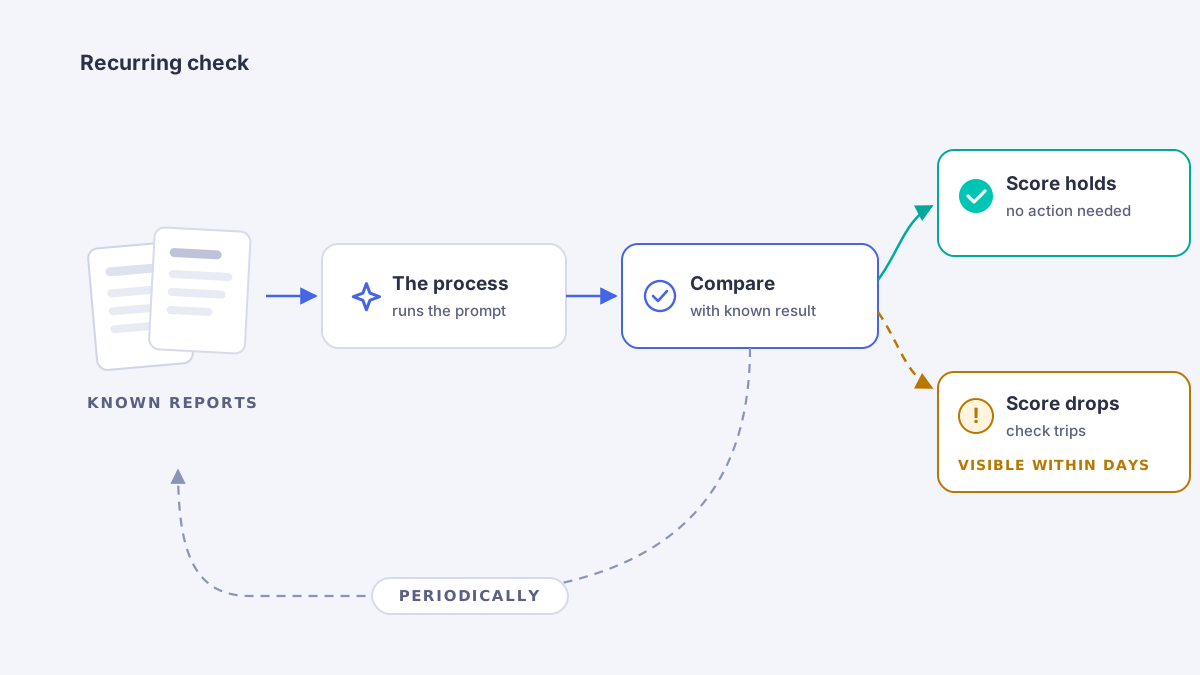
That oversight is your safety net in the moment. It catches the individual miss, but it doesn't see a structural shift in the model coming. That's what the measurement is for. The idea is simple: we periodically run a fixed set of known reports through the process and compare the outcome against what we know to be correct. If the score drops, we catch it at the next check instead of when it has already gone wrong somewhere. Keep that set small but representative, and the check costs little while still telling you enough. Copilot Studio now has this kind of check built in, with test sets you can repeat and put side by side. For a custom prompt in a standalone Power Automate process, you set it up yourself as a recurring check.
What works for us:
- Choose deliberately which model sits behind your prompt, and don't stay on the default by habit.
- Record which model and which settings you're working with, so you can trace a difference later.
- Run the check periodically, also when you change nothing yourself. The change comes from the other side.
- Keep a human in the loop for the moment itself.
An AI step never tells you it stopped working. At 30% it answers just as smoothly as at 100%. The cause almost always sits outside your own process, with a model you don't control. You can't prevent it, but you can see it coming. Either a human notices, or your measurement trips. Otherwise you find out the way we did: by accident, and not in time. That safety net is the first thing we set up before we let AI loose on a process.
This is a real experience from our practice, but the project it concerns has been anonymised.
Further reading
- Microsoft on responsible use and human oversight for AI Builder prompts
- Model versions and settings in prompt builder: the versions can change
- Azure OpenAI: how model versions work and auto-update, where behaviour may change after an upgrade
- Microsoft's log of model updates and retirements behind prompts (when GPT-4o moved to GPT-4.1, o3 to GPT-5 reasoning)
- Testing processes with test sets in Copilot Studio